Free public beta
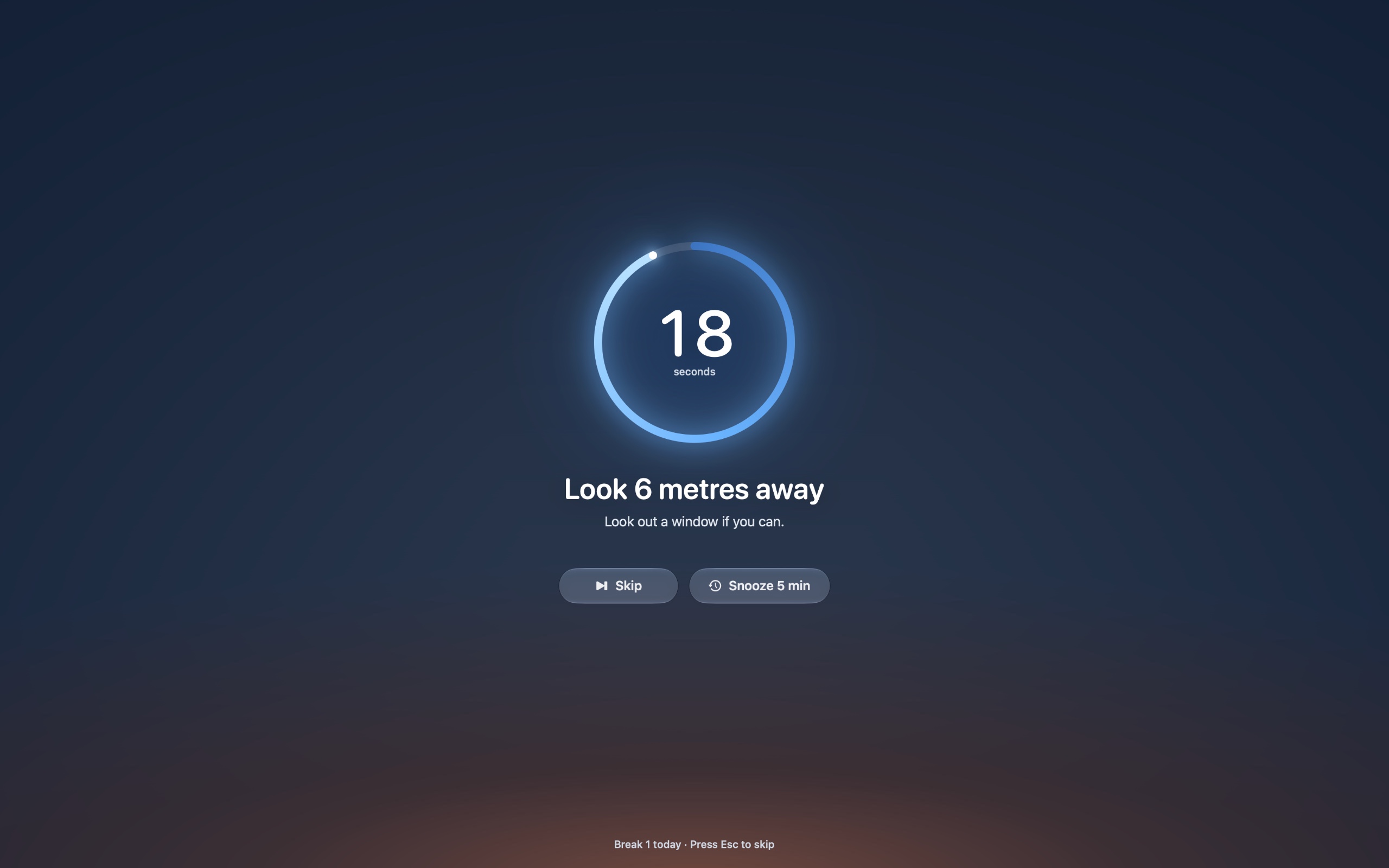
Look 20 feet away. We’ll count to 20.
A calm break reminder for your Mac. Every 20 minutes your screen softly frosts over for 20 seconds, then everything is right where you left it.
You can buy here on your phone: your license key arrives by email. Then open this page on your Mac to install Unstare.
$9 once, no subscription · 7-day free trial · no account
macOS 14 Sonoma or later · Apple silicon and Intel
Not notarized by Apple yet: how to open it
Unstare is a Mac app. Send yourself the link, then download it on your Mac.
Free during the beta
macOS 14 Sonoma or later
How to open the beta
The eye in the bar up there is live. Click it.Tap it.
How it works
The 20-20-20 rule, on autopilot.
Eye doctors suggest a simple habit for long days at a screen: every 20 minutes, look at something 20 feet away for 20 seconds. The habit is easy. Remembering it is the hard part, so Unstare remembers for you.
It runs right here on this page. Press Esc to skip.Tap Skip to end it early.
- 20 minutes
- of work, then a pause. Unstare keeps the time so you don’t have to.
- 20 feet
- is about 6 meters. A window, the far end of the room, anything in the distance.
- 20 seconds
- is enough for your focus to relax. The ring counts it down for you.
Features
Built to stay out of your way.
Unstare lives in your menu bar. Most of what it does is notice when not to interrupt you.
A heads-up, not an ambush.
Ten seconds before a break, a small glass pill slides out from under the notch. Start now, push it back 5 minutes, or skip this one. It never takes focus from what you’re typing.
On a call? Unstare waits.
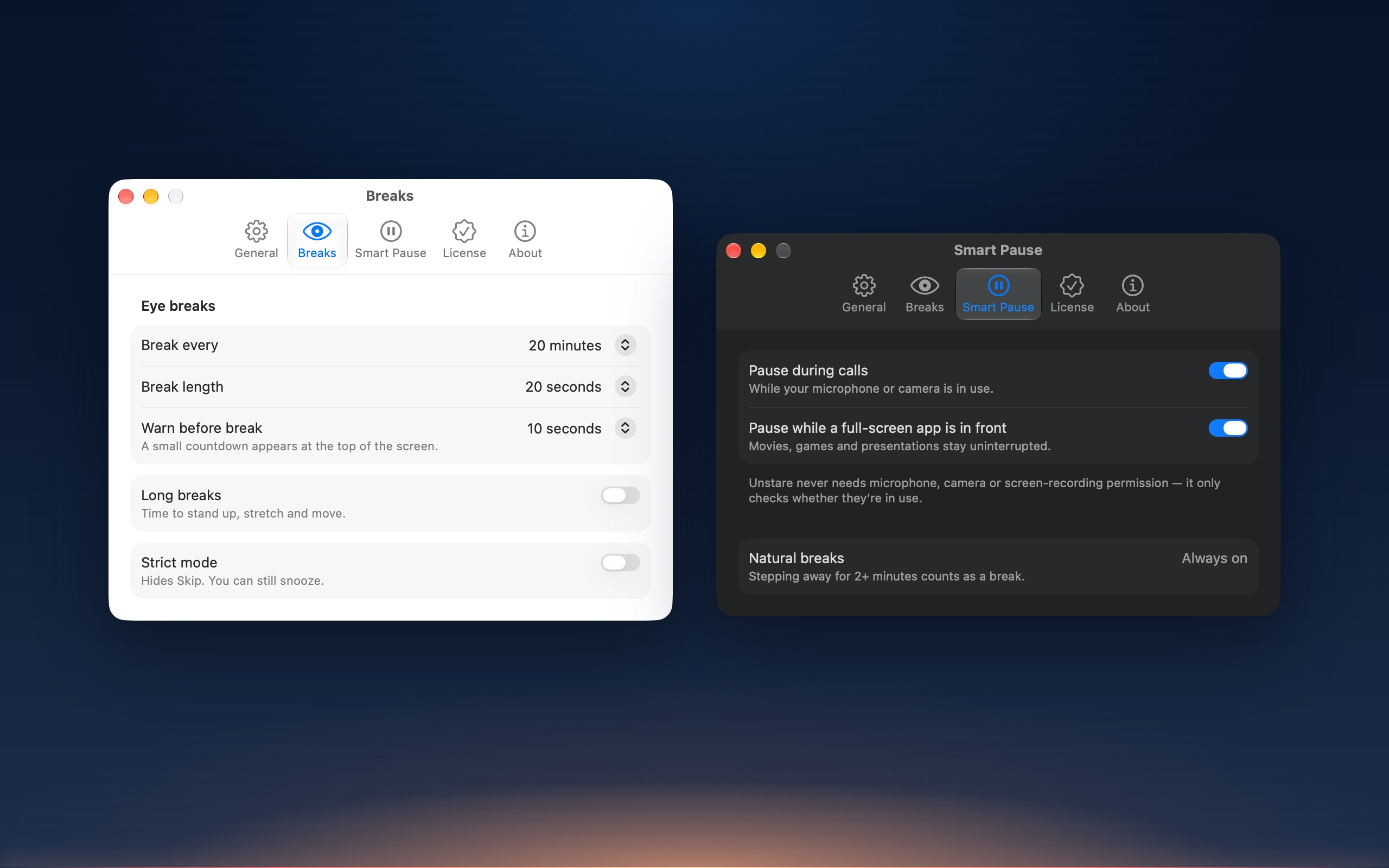
If your microphone or camera is in use1, or a video or presentation is playing full screen, the break holds until you’re done. Movies stay full screen. Unstare stays out of the way.
Stepped away? Two minutes or more away from your Mac counts as a break on its own, and the timer starts fresh when you’re back.
On a callMic or camera in use
Watching a filmFull-screen video or slides
CoffeeAway for 2+ minutes
Long breaks, if you want them.
Turn on a 5-minute break every hour. A slow breathing orb sets the pace, and a stretch tip changes every 30 seconds: roll your shoulders, reach for the ceiling, take a short walk, drink some water.
Counts the breaks you took, not the hours you lost.
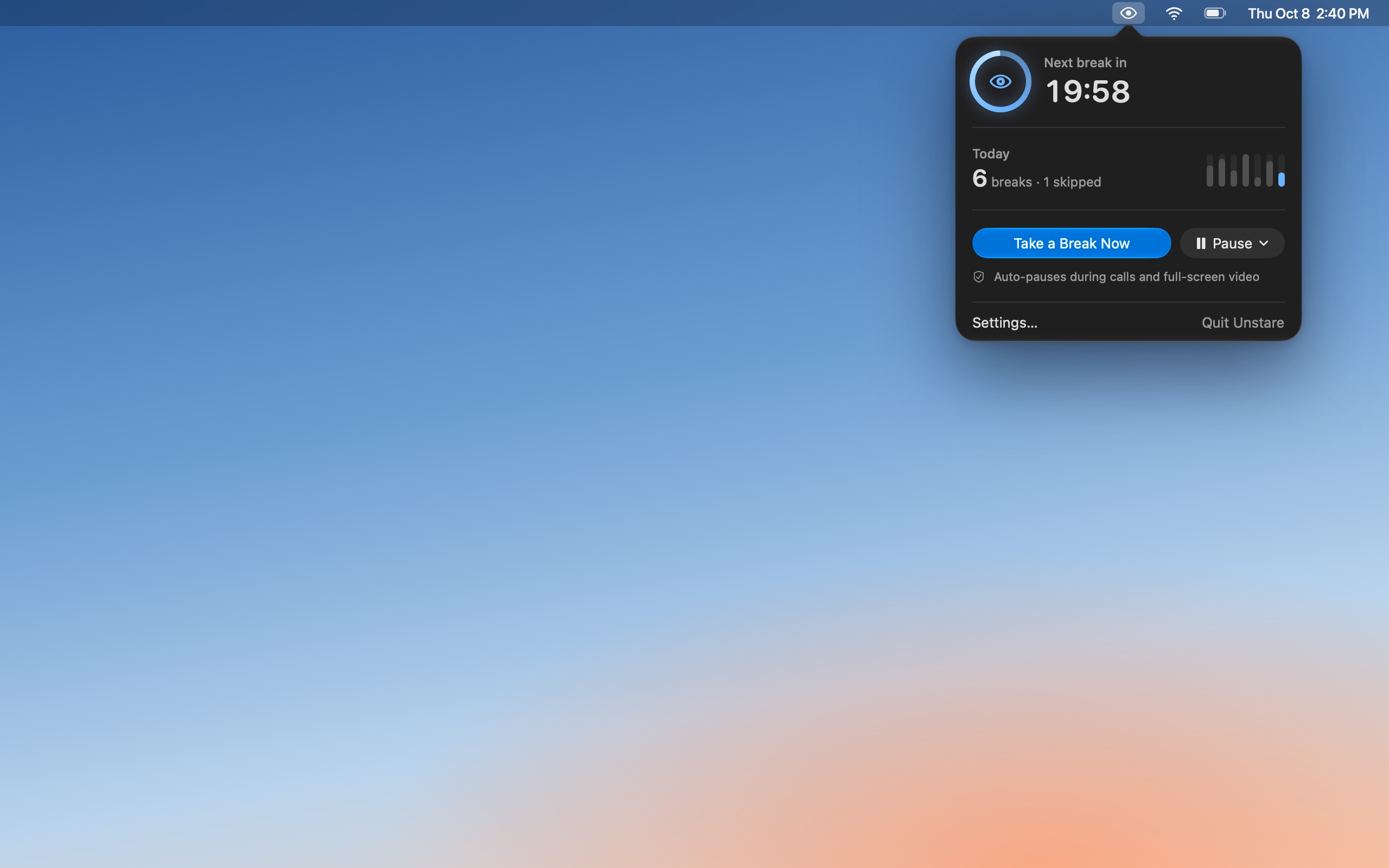
Click the eye in your menu bar to see when the next break is, how many you took today, and your last seven days at a glance.
Pause for an hour, not forever. Pick 30 minutes, 1 hour, 2 hours, or until tomorrow. Every pause resumes on its own, so breaks never quietly stop for good.
Every display, every Space.
All your screens frost over together, even on top of full-screen apps.
Strict mode.
For days you know you’ll talk yourself out of it. Turn it on and breaks can’t be skipped. Snooze still buys you 5 minutes.
Unstare is a break reminder that knows when not to remind you. It waits out your calls and your films, counts the time you step away, and gives your eyes twenty seconds of distance every twenty minutes.
Exactly
0 accounts
Nothing to sign up for, and no analytics.
About
30 MB
of memory2. Native Swift, for Apple silicon and Intel.
Speaks
12 languages
It follows your Mac’s language.
Screenshots
The real thing.
Captured straight from the app, not drawn for this page. Distances follow your Mac’s units.
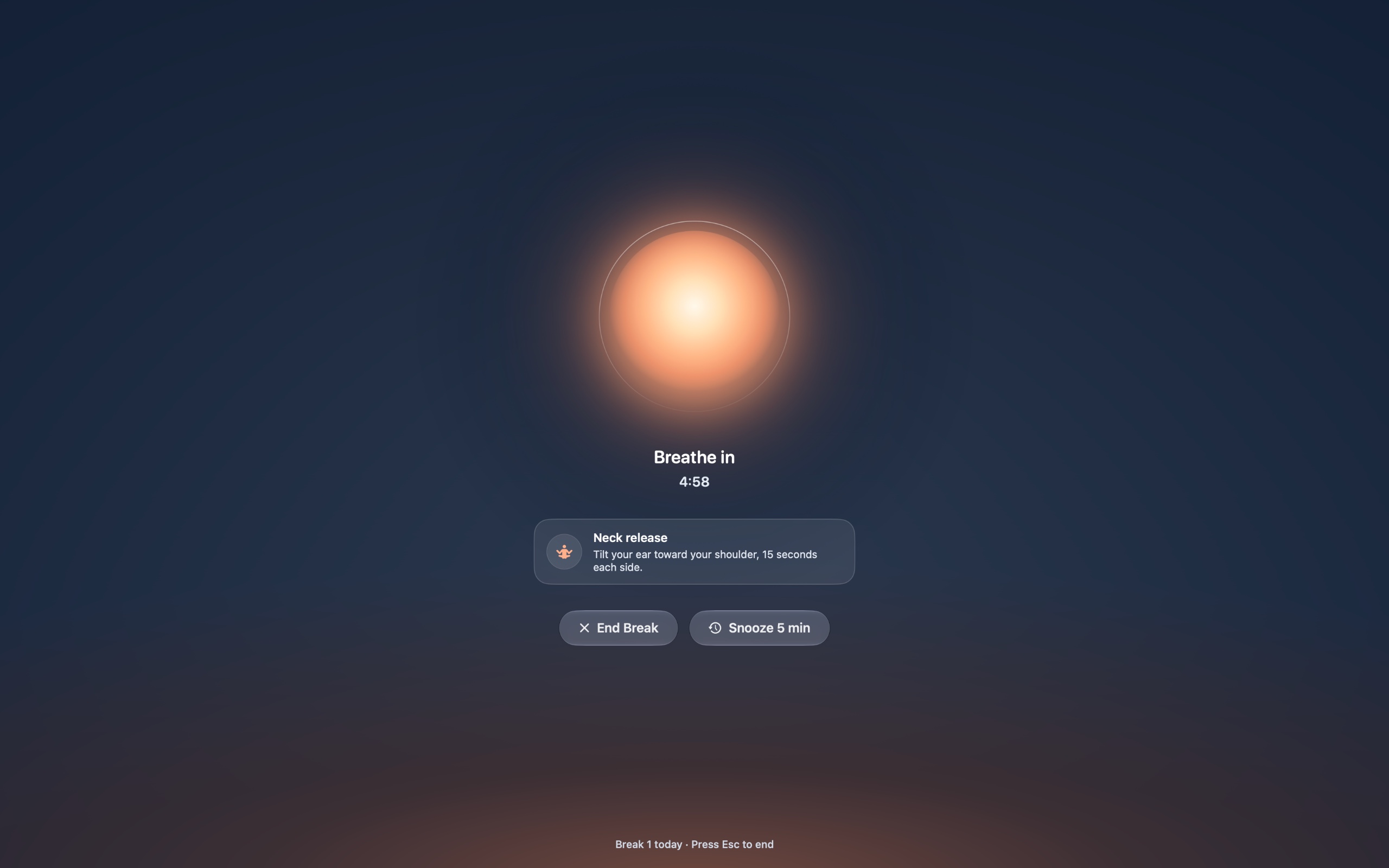
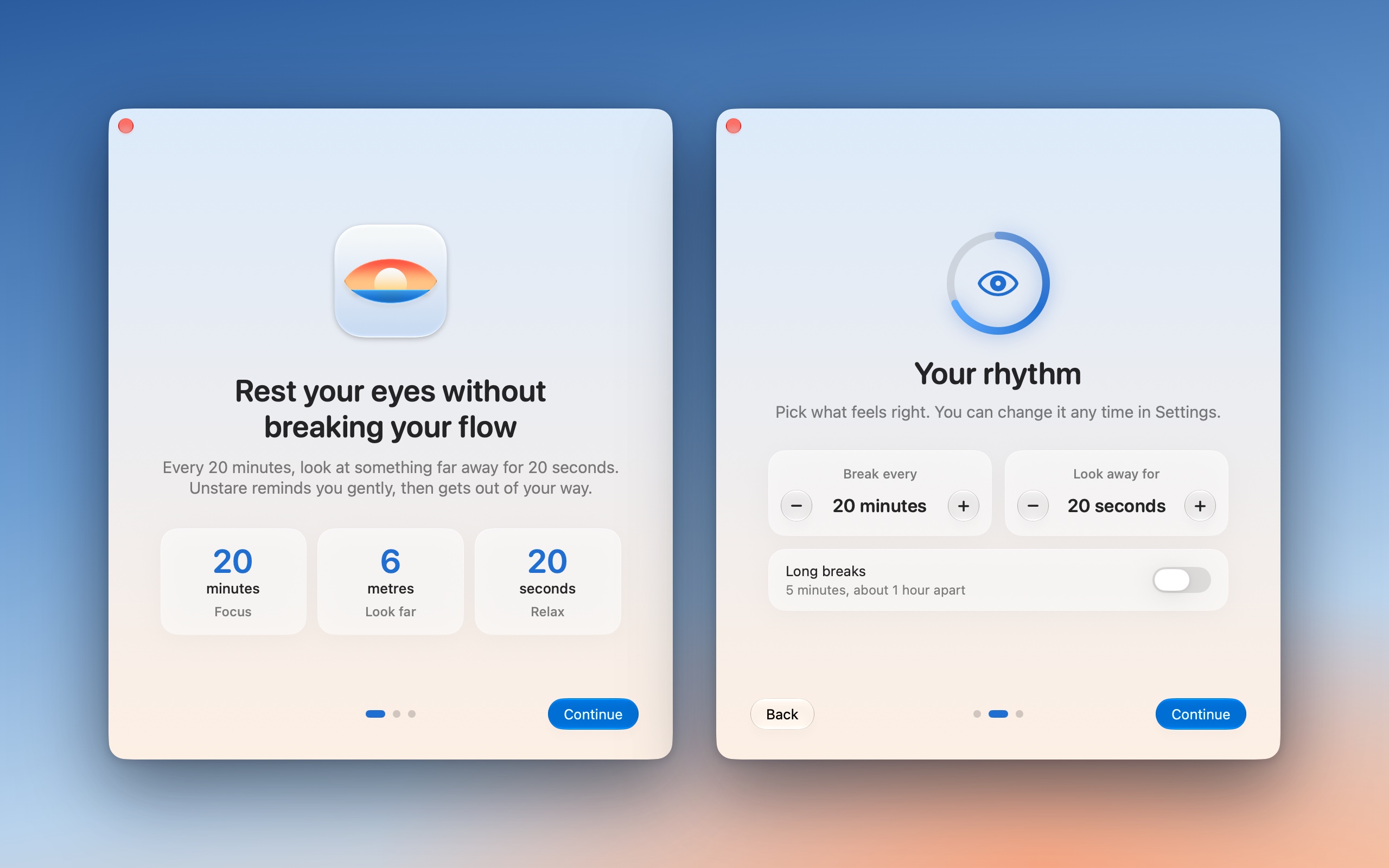
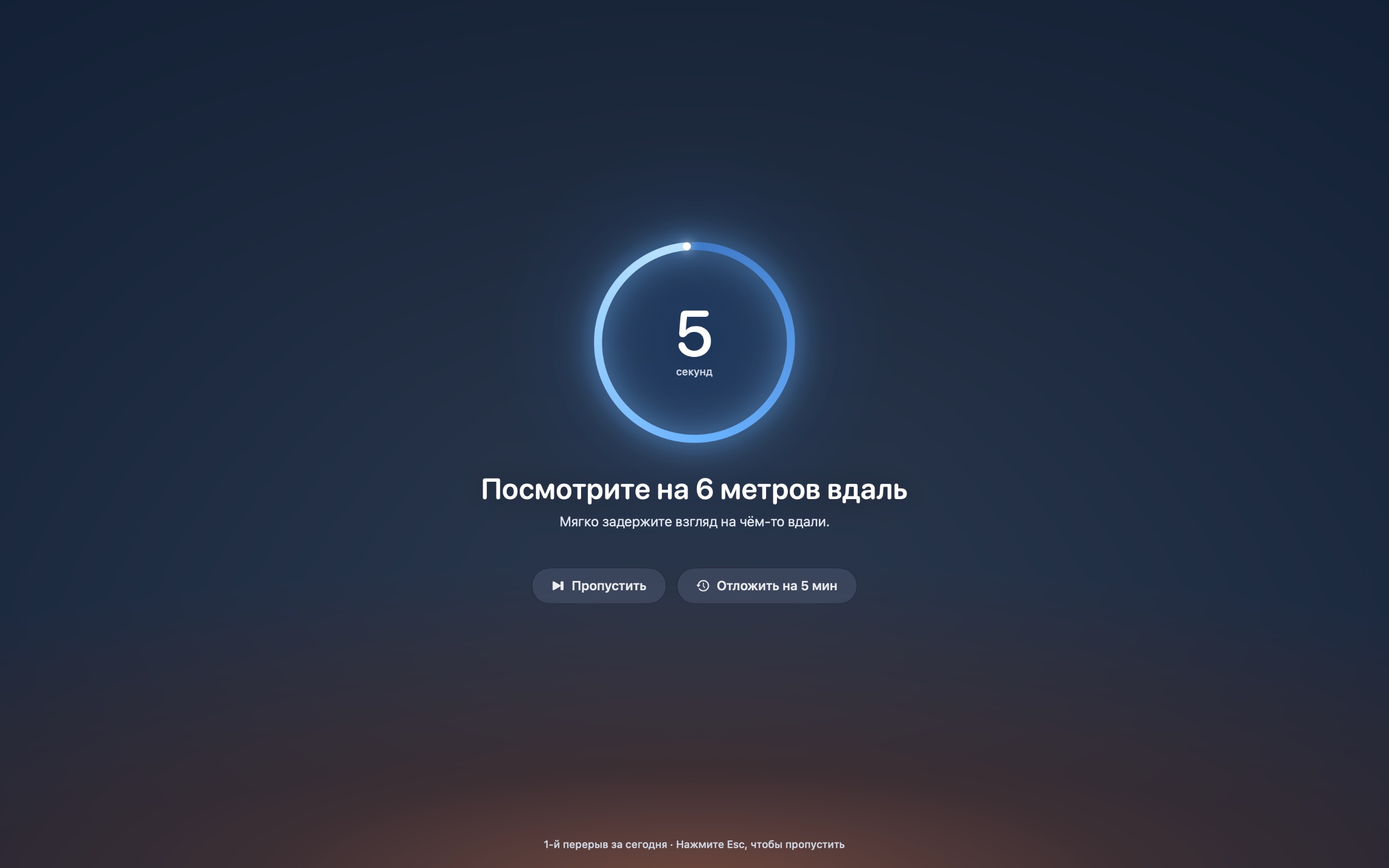
Film
Watch the 37-second tour.
A break from start to finish, the heads-up pill, and what happens when you’re on a call. With sound and on-screen captions.
Privacy
It checks whether your camera is on. It never looks.
To know you’re on a call, Unstare asks macOS one yes-or-no question: is the microphone or camera in use right now? It never asks to see, hear or record anything.
- No permissions
- No microphone, camera or screen-recording access to grant. Nothing to approve in System Settings.
- No analytics
- No tracking and no usage data. Your break history stays on your Mac.
- No account
- Download it, try it, buy it with a license key. There is nothing to sign up for.Download the beta and use it. There is nothing to sign up for.
Opening the beta takes one extra step.Opening Unstare takes one extra step.
The beta isn’t notarized by Apple yet, so the first time you open it, macOS asks you to confirm. Once Unstare is notarized, it opens with a double-click like any app.
macOS says it can’t verify Unstare? That’s expected for now: Unstare isn’t notarized by Apple yet. The first time you open it, you confirm it in System Settings. A notarized version is coming as a free update.
- Open Unstare-Beta.dmgUnstare.dmg and drag Unstare into Applications.
- Open Unstare. When macOS says Apple could not verify it, click Done.
- Open System Settings › Privacy & Security and scroll down to Security.
- Next to “Unstare” was blocked, click Open Anyway. It stays there for about an hour after macOS blocks the app: if it’s gone, open Unstare again first.
- Confirm with your password, and with Open Anyway if macOS asks once more. From now on Unstare opens like any other app, and new beta versionsupdates install from inside it (Install Update) without these steps. Only a copy you download again by hand asks once more.
On macOS 14 Sonoma: right-click Unstare in Applications, choose Open, then click Open.
Make sure your copy is ours: its SHA-256 checksum
In Terminal, shasum -a 256 ~/Downloads/Unstare-Beta.dmgshasum -a 256 ~/Downloads/Unstare.dmg prints the same.
Free during the beta. At launch: $9 once.
Waitlist members get 50% off. Leave your email and we’ll send your code when Unstare 1.0 launches. The code works for the first 7 days after launch.
You’re on the list.
We’ll email you when Unstare 1.0 launches, with your 50% off code. It works for the first 7 days after launch.
$9 Once. Every update, forever.
Some paid break apps charge $19–$29, and again for next year’s updates.
- One license for up to 3 of your Macs
- 7-day free trial, no account needed
- Every display, 12 languages
- 14-day refunds, no questions asked
You can buy here on your phone: your license key arrives by email. Then open this page on your Mac to install Unstare.
Checkout by Dodo Payments, who handle sales tax and VAT. Terms of sale
Not notarized by Apple yet, so macOS asks you to confirm the first time you open it. How to open it
Specs
The details.
- Price
- Free during the beta. At launch: $9 once, with 50% off for the waitlist.$9 once. No subscription. Every update included.
- Compatibility
- macOS 14 Sonoma or later, on Apple silicon and Intel. Liquid Glass on macOS 26 and later3.
- Displays
- Every connected display and every Space, including over full-screen apps.
- Smart pause
- Waits while the microphone or camera is in use1, or while video or slides play full screen. Two minutes away counts as a break.
- Permissions
- None. Nothing to approve in System Settings.
- Network
- Update check: unstare.pages.dev/version.jsonunstare.pages.dev/version-beta.json, at most once a day.
- Update download: only when you click Install Update, the new version from unstare.pages.dev, checked by size, SHA-256 and signature before it replaces the app.
- License: activation, a re-check about once a week, and deactivation when you ask for it, all with Dodo Payments (live.dodopayments.com). Being offline never locks it.
- Nothing else. No analytics, no crash reporting, no account.
- Size
- About 4 MB to download, and about 30 MB of memory2.
- Languages
- English, Русский, Deutsch, 日本語, Français, Español, 简体中文, 繁體中文, 한국어, Português (Brasil), Italiano and Oʻzbekcha.
- License
- Up to 3 of your Macs. 14-day refunds.
- Gatekeeper
- Not notarized by Apple yet, so macOS asks you to confirm once, the first time you open it. Updates then install from inside the app. How to open it ›
- Gatekeeper
- Signed with Developer ID and notarized by Apple. It opens with a double-click.
Good questions.
Something else on your mind? Write to sunnatilloruzmetov001@gmail.com.
Is it safe? What does it send?
No account, no analytics, and your settings and break history never leave your Mac. Unstare makes only these connections:
- An update check, at most once a day, to unstare.pages.dev/version.jsonunstare.pages.dev/version-beta.json.
- When you click Install Update, the download of the new version from unstare.pages.dev. Unstare checks its size, SHA-256 checksum and signature before it replaces itself.
- For your license: activation, a re-check about once a week, and deactivation when you ask for it, with Dodo Payments.
- Nothing else.
macOS warns you because Unstare isn’t notarized yet, not because of anything it does. To be sure your copy is ours, compare its SHA-256 checksum.
The waitlist keeps only your email and the few details listed in the privacy policy.
Does it need access to my microphone, camera or screen?
No. Unstare only asks macOS whether the microphone or camera is in use. It never records, and it doesn’t need screen-recording permission.
Why does macOS warn me about the beta?
The beta isn’t notarized by Apple yet, so the first time you open it, macOS asks you to confirm it in System Settings › Privacy & Security. It’s a one-time step: later beta versions install from inside the app. The warning isn’t about anything the app does (step by step).
macOS says it can’t verify Unstare. Is that normal?
For now, yes. Unstare isn’t notarized by Apple yet. The first time, open Unstare and click Done, then go to System Settings › Privacy & Security and click Open Anyway. On macOS 14, right-click Unstare in Applications and choose Open instead. You do this once: updates install from inside the app without it, and only a copy you download again by hand asks once more (step by step).
Notarizing needs Apple’s $99-a-year developer account, and the first sales pay for it. The notarized version will be a free update for everyone. Until then, macOS warns because Unstare isn’t notarized, not because of anything it does. To be sure your copy is ours, compare its SHA-256 checksum.
What is the public beta?
An early, free version of Unstare for anyone who wants to try it before 1.0. Everything the app does is in it. It isn’t notarized by Apple, so opening it the first time takes one extra step.
When does the beta end?
Not before Unstare 1.0 is out. The beta is free at least until its last day, and it keeps working after that until 1.0 ships. Then it stops and points you to Unstare 1.0, which costs $9 once.
Waitlist members get 50% off, and the code works for the first 7 days after launch, so leave your email to get it.
Is it a subscription?
No. $9 once, and every update is included.
How does the free trial work?
Download Unstare and use everything for 7 days. No account and no card. When the trial ends, Unstare pauses your breaks until you enter a license key. Your settings and break history stay.
How do I get my license key?
Right after you pay, the page you land on shows your key, with an Open Unstare button that fills it in for you. Dodo Payments, who handle the checkout, also emails it to you, so you can activate later or on your other Macs. Or paste it yourself in Unstare’s Settings, under License.
Can I use one license on more than one Mac?
Yes. One license works on up to 3 Macs, like your desktop, your laptop and the one at work.
Old Mac died or sold before you could deactivate it? Email sunnatilloruzmetov001@gmail.com and we’ll free its slot.
Does it need the internet?
No. Breaks work completely offline. A bought license checks in with Dodo Payments about once a week when you happen to be online, and being offline, even for months or behind a firewall, never locks it.
Can I get a refund?
Yes. Within 14 days of purchase, for any reason. Email sunnatilloruzmetov001@gmail.com from the address you bought with and you’ll get a full refund. The details are in our refund policy.
How do I update Unstare?
Unstare checks for a new version once a day. When there is one, click the eye in your menu bar, then Install Update. Unstare downloads it, checks that it’s complete and signed by us, replaces itself and reopens. Your license, settings and break history stay.
If it ever can’t install an update itself, it offers the download instead: quit Unstare, open the new Unstare.dmg, drag Unstare into Applications and choose Replace. Until Unstare is notarized, a copy installed by hand like this asks you to confirm it once more (step by step).
The notarized version will be a free update too. Its signature is new, so you install that one by hand, once, and it opens with a double-click.
Does it work with external displays and full-screen apps?
Yes. Every connected display frosts over together, and breaks appear over full-screen apps too.
The exception is on purpose: if a video or presentation is playing full screen, Unstare waits until it ends.
How do I send feedback?
Click the eye in your menu bar, then Send Feedback… Or write to sunnatilloruzmetov001@gmail.com, with your Mac model and macOS version if you can. Bugs, confusing moments, ideas: every message helps.
How do I uninstall it?
Quit Unstare from the menu bar (click the eye, then Quit Unstare) and drag it from Applications to the Trash. Nothing else stays running, and it installs no helpers or background services.
Your license and trial date stay in your keychain, so a reinstall picks them up. To remove them too, open Keychain Access and search for Unstare.
Moving to a new Mac? Choose Deactivate in Settings › License first, so the license is free to use on the new one.
Unstare
Gentle eye breaks for your Mac.
Free during the beta
$9
Unstare is a Mac app. Send yourself the link, then download it on your Mac.
You can buy here on your phone: your license key arrives by email. Then open this page on your Mac to install Unstare.
macOS 14 Sonoma or later · Apple silicon and Intel
How to open the beta
One-time purchase · 7-day free trial · macOS 14 Sonoma or later
Not notarized by Apple yet: how to open it